
Blog
How to Replace Anycubic M5/M5s/Pro Build Platform
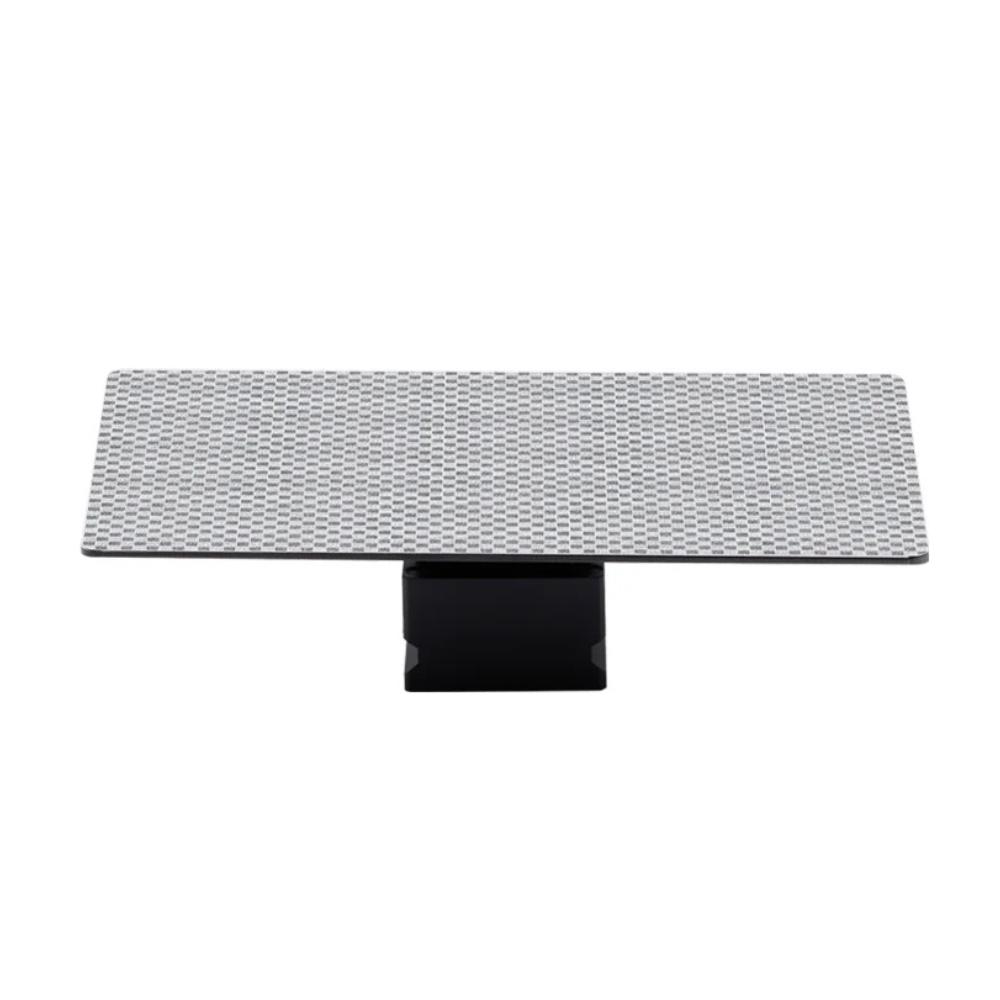
How to Replace Anycubic M5/M5s/Pro Build Platform For Printers
Replacing a worn or damaged resin 3D printer component does not always require complicated maintenance. If your build platform has become damaged, excessively scratched or difficult to maintain, learning how to replace Anycubic M5/M5s/Pro Build Platform can help you keep your compatible resin printer ready for your next project.
The build platform is an important part of the printing system because it provides the surface where the first layers of a resin model are formed. A properly installed and maintained platform can help provide a stable foundation during the printing process.
This guide explains the general replacement process, preparation steps, compatibility checks and maintenance considerations for users working with compatible Anycubic Photon Mono M5-series printers.
What Is the Build Platform Used For?
The build platform is attached to the printer’s Z-axis assembly. During a resin print, the platform moves through the resin vat while the printer cures successive layers of photopolymer resin.
The first layers need to adhere to the platform before the printer can continue building the model. This makes the platform an important component of the overall printing process.
If the platform becomes damaged or its surface is no longer suitable for printing, replacing it may be appropriate.
When Should You Replace the Build Platform?
Not every printing problem means the platform needs to be replaced. Cleaning, leveling and adjusting print settings can sometimes resolve adhesion issues.
However, replacement may be worth considering when you notice:
- Significant scratches on the printing surface
- Physical deformation
- Persistent adhesion problems
- Heavy cured-resin buildup
- Damage caused during model removal
- Problems that remain after cleaning and leveling
- Damage around the mounting area
Before purchasing a replacement, confirm that the new platform is designed for your exact printer model.
Check Compatibility Before Replacing It
The first step in learning how to replace Anycubic M5/M5s/Pro Build Platform is confirming compatibility.
The Photon Mono M5, M5s and M5s Pro have closely related names, but users should not automatically assume that every platform is interchangeable between the models.
Check the following before ordering:
- Exact printer model
- Platform dimensions
- Mounting arrangement
- Product specifications
- Manufacturer compatibility information
- Product SKU or model number where available
If you are looking for a replacement platform, you can review the Buy Anycubic M5 M5s Pro Build Platform Online | Print & Engrave product page for additional information.
What You Need Before Starting
Replacing a build platform is generally straightforward, but preparing everything beforehand makes the process easier.
You should have:
- A compatible replacement build platform
- Your Anycubic printer switched off
- A clean working area
- Appropriate cleaning materials
- The printer’s user instructions available if necessary
Avoid beginning the replacement process while the printer is operating.
Step 1: Turn Off the Printer
Before handling the build platform, stop the printer and turn it off.
Disconnecting power when performing physical maintenance can provide an additional layer of safety and helps prevent accidental movement of the printer components while you work.
Allow the printer to finish any active operation before beginning maintenance.
Step 2: Remove the Existing Build Platform
Follow the removal procedure specified for your particular Anycubic printer.
Carefully loosen the platform’s mounting mechanism and remove the existing platform from the Z-axis assembly.
If there is uncured resin on the platform, handle it carefully and avoid spreading resin onto other parts of the printer.
Step 3: Inspect the Mounting Area
Before installing the replacement platform, inspect the mounting area.
Check for:
- Resin residue
- Cured resin particles
- Loose components
- Visible damage
- Debris around the mounting mechanism
A clean mounting area helps ensure that the replacement platform can be installed correctly.
Step 4: Prepare the Replacement Platform
Remove the replacement platform from its packaging and inspect it before installation.
Check the surface for any visible manufacturing damage or contamination.
If the platform requires cleaning before installation, follow the manufacturer’s recommendations and make sure it is completely ready before attaching it to the printer.
Step 5: Install the New Platform
Position the replacement platform according to the mounting instructions for your printer.
Secure it firmly without using excessive force.
The platform should sit correctly in the mounting mechanism and should not move independently once properly secured.
If the platform does not fit naturally, stop and recheck compatibility rather than forcing it into place.
Step 6: Check the Platform Position
Once the replacement platform is installed, check its position relative to the printer.
Make sure the platform is securely attached and aligned correctly.
If your printer requires leveling or calibration after replacing the platform, complete that procedure before starting a print.
Step 7: Re-Level the Platform if Required
Replacing the platform can make it necessary to repeat the printer’s leveling procedure.
Follow the leveling instructions specific to your Anycubic model.
Correct leveling helps establish the appropriate relationship between the build platform and resin vat during the initial printing layers.
Do not skip this step if your printer’s instructions require it.
Step 8: Check the Resin Vat
Before starting a new print, inspect the resin vat as well.
Make sure there is no cured resin or debris that could interfere with the new platform.
A clean platform combined with a clean and properly installed vat can help reduce potential printing problems.
Step 9: Run a Test Print
After installation and any required leveling procedure, consider running a small test print.
A test print allows you to confirm that:
- The platform is securely mounted
- The first layers adhere properly
- The platform moves correctly
- The printer operates normally
- There are no obvious clearance issues
If the test print fails, check the platform installation, leveling, resin and exposure settings before assuming that the replacement platform is defective.
Common Mistakes When Replacing a Build Platform
Knowing how to replace Anycubic M5/M5s/Pro Build Platform is only part of the process. Avoiding common mistakes is equally important.
Buying the Wrong Platform
Do not assume that a platform is compatible simply because the product name contains “M5.”
Always check the exact printer model and platform specifications.
Forcing the Platform Into Place
A compatible platform should install according to the printer’s mounting system. If it does not fit correctly, stop and verify compatibility.
Skipping Leveling
If your printer requires leveling after a platform replacement, skipping this step can affect the first layers of your print.
Ignoring Resin Residue
Cured resin or debris around the mounting area can interfere with proper installation.
Immediately Starting a Large Print
It is generally better to test a newly installed platform before committing to a long or complex print.
Tips for Maintaining the Replacement Platform
Once your replacement platform is installed, regular maintenance can help keep it in good condition.
Clean the platform after printing and remove resin residue according to the manufacturer’s recommendations.
When removing cured models, avoid unnecessarily aggressive scraping.
Inspect the platform periodically for scratches, deformation and resin buildup.
Keeping the platform clean and properly maintained can help support more consistent printing.
Can a Replacement Platform Improve Adhesion?
A new platform may help if the original platform has become damaged or excessively worn.
However, replacing the platform is not a guaranteed solution to every adhesion problem.
Adhesion can also be affected by:
- Resin type
- Exposure settings
- Bottom-layer exposure
- Printer leveling
- Printing temperature
- Model orientation
- Support settings
- Platform cleanliness
If a new platform does not solve an adhesion issue, review these other factors as well.
Why Keep a Spare Build Platform?
Users who print frequently may benefit from keeping an additional platform available.
A spare can reduce downtime when the primary platform needs extensive cleaning or maintenance. It can also provide a convenient replacement if the original platform becomes damaged unexpectedly.
For users considering a spare or replacement, you can view the Anycubic M5 M5s Pro Build Platform at Print & Engrave.
Related Reading
If you want to learn more about the platform before replacing it, you can also read our related Anycubic M5/M5s/Pro Build Platform guide on Substack.
That article provides additional information about the build platform, compatibility considerations and factors to check before purchasing a replacement.
Frequently Asked Questions
How do I replace an Anycubic M5/M5s/Pro Build Platform?
Turn off the printer, remove the existing platform according to the printer’s instructions, inspect and clean the mounting area, install the compatible replacement and perform any required leveling or calibration before printing.
Do I need to level the printer after replacing the platform?
Depending on your specific Anycubic model and its maintenance procedure, leveling or calibration may be required. Follow the instructions for your printer.
Can I use the same platform on the M5, M5s and M5s Pro?
Do not assume that all three models use exactly the same platform. Verify the specific platform version and compatibility information before purchasing.
Why is my new build platform not sticking to the resin?
Check platform leveling, surface cleanliness, resin settings, exposure settings and other printing parameters. A new platform alone does not guarantee perfect adhesion.
How often should I replace a build platform?
There is no universal replacement interval. Replace the platform when it becomes damaged, deformed or difficult to maintain or when it can no longer provide reliable performance after appropriate maintenance.
Final Thoughts
Learning how to replace Anycubic M5/M5s/Pro Build Platform can be useful for anyone who regularly works with compatible resin 3D printers. The process involves more than simply installing a new component—you should first verify compatibility, carefully remove the old platform, inspect the mounting area and perform any required leveling procedure.
Once installed, regular cleaning and careful model removal can help maintain the replacement platform and support a more reliable printing workflow.
If you need a replacement or spare, you can Buy Anycubic M5 M5s Pro Build Platform Online from Print & Engrave.
Always verify your exact printer model and the manufacturer’s compatibility information before purchasing or installing a replacement component.
