
Blog
Best Settings for Anycubic Kobra S1 – Optimal 3D Printing Setup Guide 2026
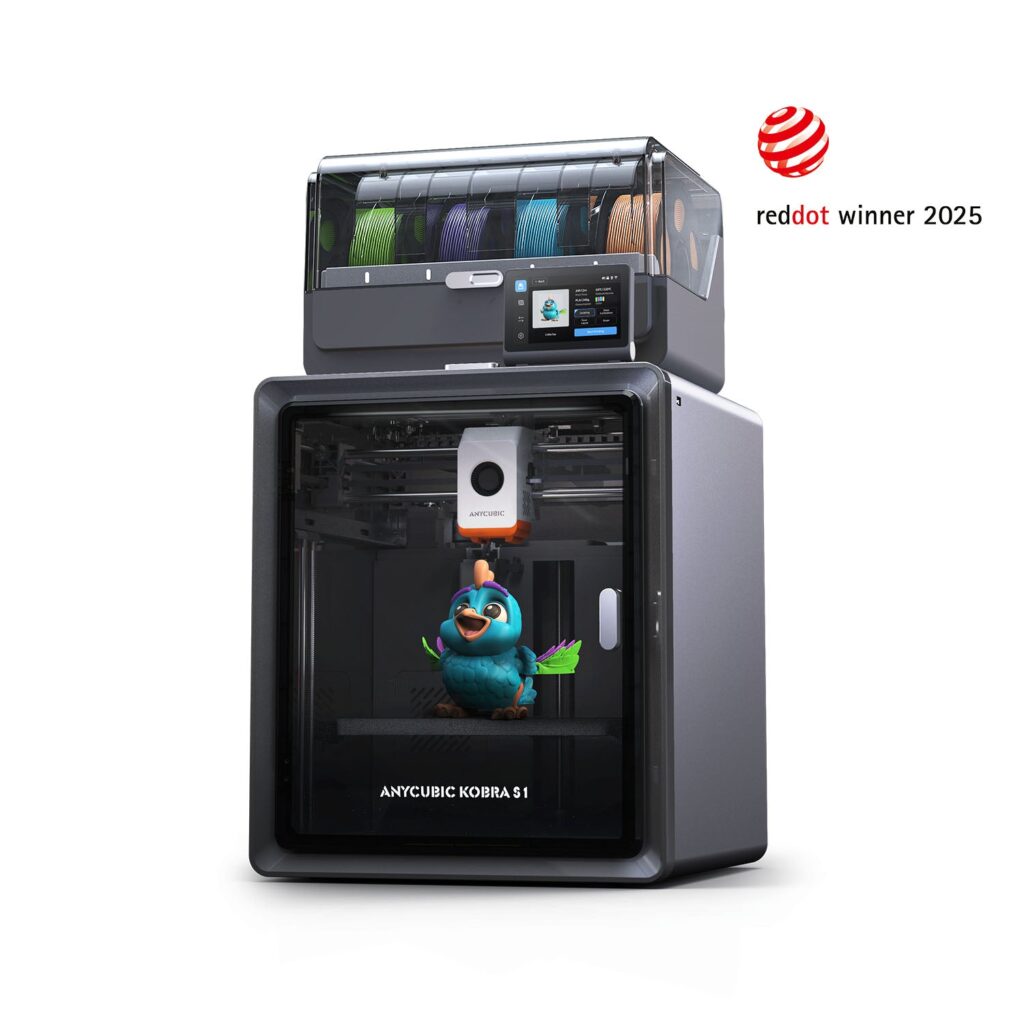
Best Settings for Anycubic Kobra S1 – Complete 2026 Optimization Guide
Getting the best settings for Anycubic Kobra S1 is essential if you want high-quality prints, faster production times, and consistent results. The Anycubic Kobra S1 3D Printer is built for speed and precision, but like any advanced 3D printer, proper configuration makes all the difference.
In this guide, we’ll break down the best settings for Anycubic Kobra S1, including speed, temperature, retraction, and slicer optimization for different materials.
Why Settings Matter for the Kobra S1
The Kobra S1 is a high-speed CoreXY printer capable of reaching up to 600 mm/s. However, using default settings may not always give you the best results.
Optimizing the best parameters for Anycubic Kobra S1 helps you:
- Improve print quality
- Reduce stringing and defects
- Increase printing speed safely
- Achieve consistent results across materials
Recommended General Settings
These are the baseline best fix-up for Anycubic Kobra S1 that work well for most prints:
- Layer Height: 0.2 mm (standard quality)
- Wall Thickness: 1.2 mm
- Infill Density: 15–25%
- Print Speed: 200–300 mm/s (optimal balance)
- Travel Speed: 300–500 mm/s
These settings provide a strong balance between speed and quality.
Temperature Settings (By Material)
Choosing the correct temperature is critical when dialing in the best settings for Anycubic Kobra S1.
PLA
- Nozzle: 200–210°C
- Bed: 50–60°C
PETG
- Nozzle: 220–240°C
- Bed: 70–80°C
ABS / ASA
- Nozzle: 240–260°C
- Bed: 90–110°C
The enclosed design of the Kobra S1 makes it especially effective for ABS and ASA printing.
Speed Optimization
While the printer can reach 600 mm/s, the best settings for Anycubic Kobra S1 usually involve slightly lower speeds for quality prints.
- High-quality prints: 150–200 mm/s
- Balanced prints: 200–300 mm/s
- Fast drafts: 300–400 mm/s
Reducing speed improves layer adhesion and surface finish.
Retraction Settings
Retraction plays a key role in preventing stringing.
Recommended best settings for Anycubic Kobra S1:
- Retraction Distance: 0.8–1.2 mm
- Retraction Speed: 35–45 mm/s
Fine-tuning these settings can significantly improve print quality.
Cooling and Fan Settings
Cooling is essential for achieving clean prints, especially with PLA.
- PLA: 100% fan speed
- PETG: 50–70% fan speed
- ABS: 0–20% fan speed
Adjusting cooling is a key part of finding the best settings for Anycubic Kobra S1.
First Layer Settings
A strong first layer ensures print success.
- First layer speed: 30–50 mm/s
- Bed leveling: Use auto-leveling feature
- Adhesion: Brim or skirt if needed
Proper first-layer calibration is critical for consistent results.
Where to Get the Kobra S1
If you’re ready to apply these settings, you can explore the printer here:
👉 https://printandengrave.com/product/buy-anycubic-kobra-s1-printer/
This page provides full specifications and helps you get started with the right setup.
Learn More About 3D Printing Optimization
For more advanced guides and optimization tips, check out:
👉 https://printandengrave.com/category/3d-printing-and-engraving-guides/
These resources help you refine your settings and improve your workflow.
External Insight for Advanced Users
If you’re planning to scale your printing projects, it’s useful to learn from professional setups.
👉 Read this expert guide:
https://medium.com/@desmondscotic/why-professionals-choose-to-get-the-kobra-3-max-for-large-format-3d-printing-e2891794f1dd
This article explains how professionals optimize their machines for large-scale printing.
Common Mistakes to Avoid
When adjusting the best settings for Anycubic Kobra S1, avoid these mistakes:
- Printing too fast without calibration
- Using incorrect temperature settings
- Ignoring retraction tuning
- Skipping first-layer adjustments
Avoiding these issues will greatly improve print quality.
Frequently Asked Questions (FAQ)
What is the best speed for the Kobra S1?
200–300 mm/s is ideal for balancing speed and quality.
Can I print at 600 mm/s?
Yes, but it’s better suited for draft prints rather than high-quality models.
What is the best temperature for PLA?
Around 200–210°C with a 50–60°C bed temperature.
Is the Kobra S1 beginner-friendly?
Yes, especially with its auto-leveling and smart features.
Final Thoughts
Finding the best settings for Anycubic Kobra S1 is key to unlocking its full potential. With proper tuning, this printer delivers exceptional speed, precision, and reliability.
By adjusting speed, temperature, and retraction settings, you can achieve professional-level results for both simple and complex prints.
Call to Action
Apply these optimized settings today, explore more 3D printing guides, and take your Kobra S1 printing performance to the next level.

Your advice to ignore the headline maximum and tune for finished-part quality is the most useful point here. I also appreciated that you treated the first layer as its own slower stage, because adhesion is where a supposedly fast profile either becomes reliable or falls apart.