
Blog
Anycubic M5 Build Platform Problems and Solutions
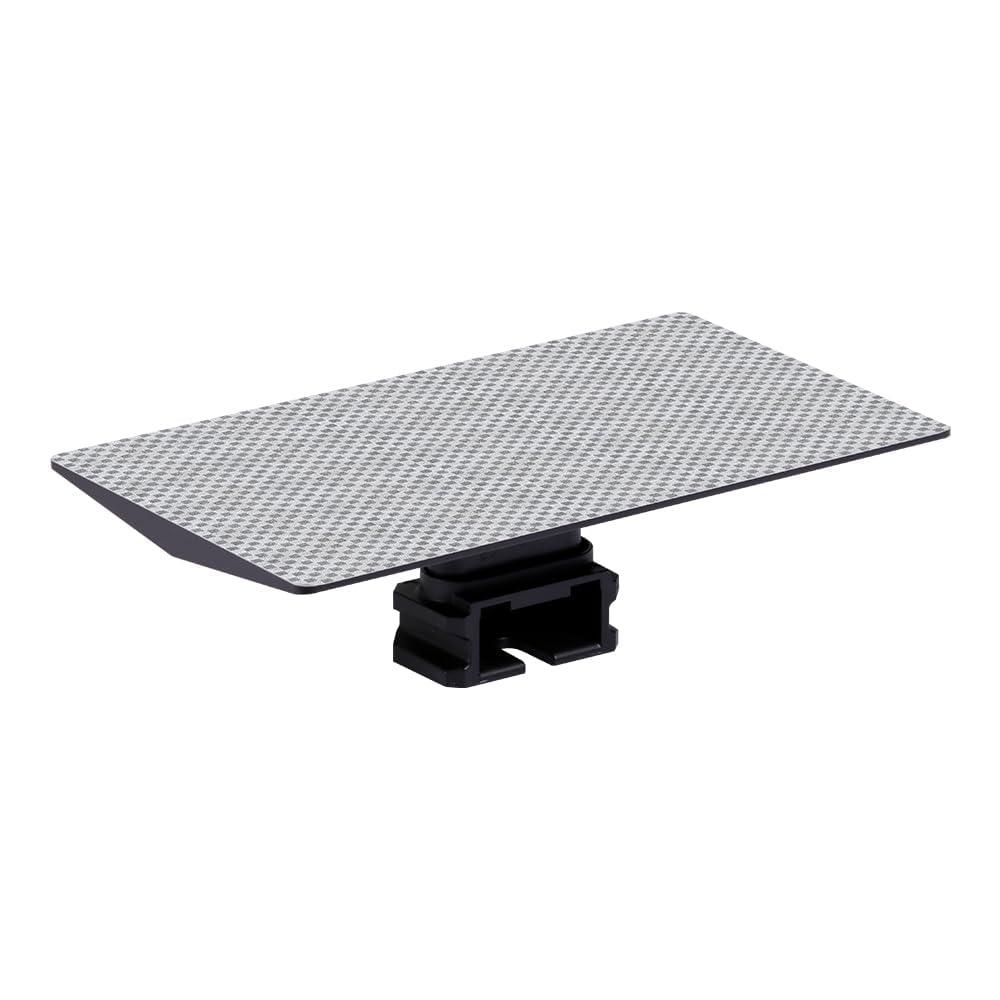
Anycubic M5 Build Platform Problems and Solutions Fo
Understanding Anycubic M5 Build Platform Problems and Solutions can help resin 3D printer users identify common printing issues and determine the appropriate troubleshooting steps. The build platform provides the surface where the first layers of a resin model are formed, so problems with its condition, positioning, cleanliness or compatibility can affect the printing process. Fortunately, many platform-related issues can be investigated through proper cleaning, leveling, printer settings and routine maintenance.
Whether you are experiencing poor first-layer adhesion, difficulty removing finished models or visible platform damage, knowing what to check can save time and prevent unnecessary replacement of components.
Why Is the Anycubic M5 Build Platform Important?
The build platform is attached to the printer’s Z-axis assembly and moves through the resin vat as the model is created layer by layer.
The first layers need to adhere securely to the platform before the printer can continue building the model. If the initial layers fail to adhere correctly, the rest of the print may not develop as expected.
However, the platform is only one part of the printing system. Resin selection, exposure settings, leveling, temperature, model orientation and support settings can also influence print results.
Common Anycubic M5 Build Platform Problems
Some of the most common problems users may encounter include:
- Prints failing to stick to the platform
- Models detaching during printing
- Excessive adhesion
- Difficulty removing finished models
- Cured resin buildup
- Scratches on the platform
- Uneven first-layer adhesion
- Platform leveling issues
- Physical damage or deformation
- Replacement platforms not fitting correctly
Identifying the specific symptom is important because the appropriate solution will depend on the underlying cause.
1. Prints Are Not Sticking to the Platform
Poor first-layer adhesion is one of the most common resin printing problems.
You may begin a print normally but later discover that the model has detached from the build platform while cured resin remains in the vat.
Possible Causes
Several factors can contribute to poor adhesion:
- Incorrect platform leveling
- Resin residue or contamination
- Incorrect exposure settings
- Insufficient bottom exposure
- Incorrect bottom-layer settings
- Low printing temperature
- Damaged platform surface
- Incorrect resin settings
Solution
Start by checking that the build platform is clean and correctly positioned.
Next, review the printer’s leveling procedure and confirm that your resin settings are appropriate for the material being used.
If the platform is heavily scratched or damaged, replacement may be worth considering.
You can view the Buy Anycubic M5 M5s Pro Build Platform Online | Print & Engrave product page for a compatible replacement option.
2. Models Detach During Printing
Sometimes the first layers adhere successfully, but the model separates from the platform later in the printing process.
This can happen when the forces involved in separating each cured layer from the resin vat become greater than the model’s adhesion to the platform.
What Should You Check?
Review:
- Bottom exposure settings
- Number of bottom layers
- Model orientation
- Support structures
- Resin settings
- Platform condition
- Printer leveling
Large models with wide cross-sections can also create greater separation forces. Adjusting the model orientation and support structure may help reduce these forces.
3. Models Are Too Difficult to Remove
Poor adhesion is not the only problem users can experience. Sometimes a model sticks so strongly that removing it becomes difficult.
Using excessive force can damage both the printed model and the platform.
Possible Solution
Use an appropriate model-removal technique and avoid unnecessarily aggressive scraping.
If models are consistently difficult to remove, review the exposure settings, model orientation and first-layer settings before deciding that the platform needs replacement.
4. Cured Resin Is Building Up
Cured resin can remain on the platform after a print has finished.
If the residue is not removed, it can accumulate and affect the condition of the printing surface.
Solution
Clean the platform after printing according to the manufacturer’s recommendations.
Remove cured material carefully and inspect the platform afterward.
Avoid using excessive force that could scratch or deform the printing surface.
5. The Build Platform Has Scratches
Repeated model removal can eventually cause scratches on the platform.
Small marks may not necessarily prevent successful printing, but deep or extensive scratches can become problematic.
What Can You Do?
Inspect the surface carefully.
If the scratches are deep enough to affect printing or make cleaning difficult, replacing the platform may be more practical than continuing to use a severely damaged component.
6. The Platform Is Not Level
Correct leveling is important for establishing consistent contact between the build platform and the resin vat during the first layers.
An improperly leveled platform may produce uneven adhesion.
Signs of a Leveling Problem
You might notice:
- One side of the print adheres while another does not
- Uneven first layers
- Inconsistent model attachment
- Excessive compression during the first layers
Solution
Follow the leveling procedure specified for your particular Anycubic printer.
After making an adjustment, run a small test print before starting a large project.
7. Resin Adhesion Is Inconsistent
If one print works correctly while another fails, the build platform may not necessarily be the problem.
Different resins can require different exposure settings, and changes in temperature or model geometry can also affect adhesion.
Check These Factors
- Resin type
- Resin temperature
- Bottom exposure
- Normal exposure
- Bottom-layer count
- Model orientation
- Support placement
- Platform cleanliness
When troubleshooting, change one variable at a time where practical so you can identify which adjustment affects the result.
8. The Build Platform Is Dirty
A dirty platform can interfere with consistent printing.
Uncured resin, cured resin, dust and other contaminants can change the condition of the printing surface.
Solution
Clean the platform according to the manufacturer’s recommendations before starting another print.
Make sure the surface is properly prepared and free from unnecessary contamination.
Regular cleaning is one of the simplest ways to maintain a resin printer’s build platform.
9. The Platform Has Been Physically Damaged
Build platforms can become damaged through accidental drops, improper handling or aggressive model removal.
A platform that is bent, deformed or significantly damaged should be inspected before being used again.
If the platform can no longer sit correctly or provide a suitable printing surface, replacement may be necessary.
Before purchasing a replacement, confirm your exact printer model and the platform specifications.
10. A Replacement Platform Does Not Fit
If you purchase a replacement platform and it does not fit correctly, do not force it into position.
The issue may be a compatibility problem.
The Photon Mono M5, M5s and M5s Pro are closely related printer models, but users should verify the specific platform version rather than assuming every platform is interchangeable.
Check:
- Printer model
- Platform dimensions
- Mounting configuration
- Product specifications
- Manufacturer compatibility information
If you are looking for a replacement, you can check the Anycubic M5 M5s Pro Build Platform at Print & Engrave.
Anycubic M5 Build Platform Problems and Solutions: Maintenance Tips
Regular maintenance can help prevent several common problems.
Clean the Platform After Printing
Remove remaining resin and clean the surface according to the manufacturer’s recommendations.
Remove Models Carefully
Avoid unnecessarily aggressive scraping when removing cured models.
Inspect the Surface
Look for scratches, resin buildup, deformation and other signs of damage.
Check Leveling
If you experience uneven adhesion, review the platform’s leveling and positioning.
Use Appropriate Resin Settings
Different resins may require different exposure settings. Follow the recommendations supplied with your resin whenever possible.
When Should You Replace the Anycubic M5 Build Platform?
Not every printing problem means that the platform needs to be replaced.
Consider replacement when:
- The platform has significant physical damage
- The surface has deep scratches
- The platform has become deformed
- It is difficult to keep the surface clean
- Adhesion remains unreliable after troubleshooting
- The mounting area has been damaged
Before purchasing a replacement, rule out simpler causes such as incorrect leveling, contaminated surfaces and inappropriate exposure settings.
Can a New Build Platform Fix Adhesion Problems?
A replacement platform may help when the original surface is damaged or excessively worn.
However, replacing the platform will not necessarily solve every adhesion problem.
Adhesion can also be affected by:
- Resin formulation
- Exposure settings
- Bottom-layer exposure
- Printer leveling
- Printing temperature
- Model orientation
- Support settings
- Platform cleanliness
If a new platform does not resolve the issue, investigate these other factors as well.
Should You Keep a Spare Build Platform?
A spare platform can be useful for people who regularly use their resin printer.
If the primary platform requires extensive cleaning, inspection or replacement, having another compatible platform available can reduce downtime.
It can also be useful when running multiple printing projects during the same period.
Related Reading
For additional information about compatibility, replacement considerations and platform maintenance, you can read the related Anycubic M5/M5s/Pro Build Platform guide on Substack.
The article provides additional information about selecting and maintaining a compatible build platform.
Frequently Asked Questions
Why won’t my Anycubic M5 build platform hold the print?
Possible causes include incorrect leveling, platform contamination, unsuitable exposure settings, resin-related issues or a damaged platform. Check these factors systematically before replacing the platform.
Can a dirty build platform cause failed prints?
Yes. Resin residue, dust and other contamination can affect the printing surface and contribute to inconsistent adhesion.
Why is my model stuck too strongly to the platform?
Excessive adhesion can be influenced by exposure settings, model geometry and other printing parameters. Avoid applying excessive force when removing the model.
Should I replace a scratched build platform?
Minor scratches do not automatically mean replacement is necessary. However, deep or extensive damage that affects printing or maintenance may justify replacement.
Can I use an M5 build platform on an M5s or M5s Pro?
Do not assume compatibility simply because the printer names are similar. Verify the exact platform specifications and manufacturer’s compatibility information before purchasing.
How often should I clean my build platform?
Clean the platform after printing and whenever resin or other contamination is present. Follow the cleaning recommendations for your particular printer and resin workflow.
Final Thoughts
Understanding Anycubic M5 Build Platform Problems and Solutions can make resin printer troubleshooting easier. Problems such as poor adhesion, difficult model removal, cured resin buildup, scratches and uneven leveling can often be investigated through proper cleaning, printer adjustments and platform inspection.
When the platform is physically damaged or continues to perform poorly after appropriate troubleshooting, replacing it may be the next practical step.
If you need a replacement or spare, you can Buy Anycubic M5 M5s Pro Build Platform Online from Print & Engrave.
Always verify your exact printer model and replacement-part specifications before purchasing.
